
Last updated on
Nov 7, 2026

CA Copy Certification by Document Custodian 2017-2026 free printable template
pdfFiller is not affiliated with any government organization

Fill out
Complete the form online in a simple drag-and-drop editor.

eSign
Add your legally binding signature or send the form for signing.

Share
Share the form via a link, letting anyone fill it out from any device.

Export
Download, print, email, or move the form to your cloud storage.
Why pdfFiller is the best tool for your documents and forms


End-to-end document management
From editing and signing to collaboration and tracking, pdfFiller has everything you need to get your documents done quickly and efficiently.
Accessible from anywhere
pdfFiller is fully cloud-based. This means you can edit, sign, and share documents from anywhere using your computer, smartphone, or tablet.
Secure and compliant
pdfFiller lets you securely manage documents following global laws like ESIGN, CCPA, and GDPR. It's also HIPAA and SOC 2 compliant.
What is CA Copy Certification by Document Custodian
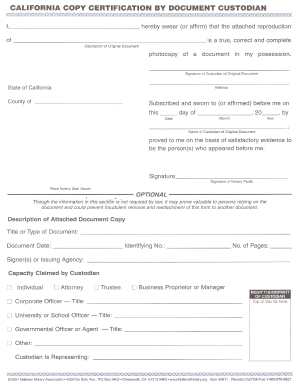
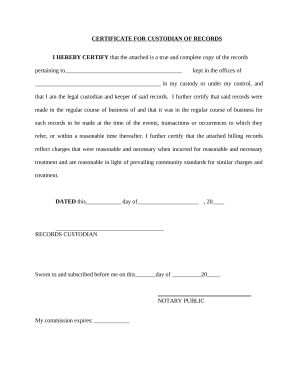
The CA Copy Certification by Document Custodian is a legal document used by custodians to certify copies of documents in compliance with California regulations.
pdfFiller scores top ratings on review platforms




so far my experience has been great. A webinar would be helpful to help me use PDFfiller to its full potential.
PDF Filler has made it much easier to create and edit forms and templates, and complete documents which once had to be either retyped in their entirety, or required the much outdated use of a typewriter to complete.
My only complaint is that it is somewhat confusing how to get the document you want to fill in to the program. Once there, it' a piece of cake.
Good job, very professional and accurate
ITS REALLY HELPFUL, FAST AND EASY TO USE
This is a fabulous business tool just need to become more knowledgeable with it's use.
Who needs CA Copy Certification by Document Custodian?
Explore how professionals across industries use pdfFiller.

CA Copy Certification by Document Custodian is needed by:
-
Document custodians needing to certify document copies.
-
Individuals applying for legal document certification.
-
Businesses requiring notarized document copies.
-
Attorneys needing certified document copies for cases.
-
Estate planners seeking to verify important documentation.
Comprehensive Guide to CA Copy Certification by Document Custodian
What is the CA Copy Certification by Document Custodian?
The CA Copy Certification by Document Custodian is an essential document that serves to verify the authenticity of a copied document. It is issued by authorized custodians, typically in legal or financial contexts where ensuring accuracy and legitimacy is paramount. This certification differs from other similar documents by explicitly stating that the copy is a true and accurate representation of the original, adding a layer of trustworthiness in various transactions.
By utilizing this certification, custodians can help maintain the integrity of document management processes and reduce the risk of disputes.
Purpose and Benefits of the CA Copy Certification by Document Custodian
This certification plays a crucial role in many document-related processes, ensuring that all parties involved can rely on the accuracy of the documents presented. The benefits of using the CA Copy Certification include enhanced credibility for custodians and peace of mind for clients. In situations such as audits or legal proceedings, this certification can prevent potential issues stemming from document discrepancies.
Furthermore, it aids in streamlining workflows, saving time and resources by mitigating the need for repeated verifications.
Who Needs the CA Copy Certification by Document Custodian?
The CA Copy Certification is typically needed by a variety of professionals who manage sensitive documents. This includes attorneys, accountants, and any individuals or organizations that require validation of document copies for legal compliance or financial transactions. Scenarios where this certification is necessary include the submission of loan applications, legal filings, and financial audits.
It's essential for these users to understand when and how to use the CA Copy Certification to ensure proper documentation practices.
Eligibility Criteria for the CA Copy Certification by Document Custodian
To be eligible for the CA Copy Certification, specific criteria must be met. Users need to possess adequate credentials that establish their authority as a custodian. Additionally, there may be exemptions or special conditions that apply depending on the nature of the document and the context of its use.
Understanding these eligibility requirements is vital for efficient processing and compliance with relevant standards.
Required Documents for the CA Copy Certification by Document Custodian
When applying for the CA Copy Certification, several supporting documents are needed to accompany the application. The required documents typically include:
-
An original document for comparison
-
A government-issued identification for the custodian
-
Any prior forms related to the documentation
Preparing these documents in advance can significantly help streamline the certification process.
How to Fill Out the CA Copy Certification by Document Custodian Online
To complete the CA Copy Certification online, follow these steps using pdfFiller:
-
Log into your pdfFiller account.
-
Locate the CA Copy Certification form and open it.
-
Fill in the required fields with accurate information.
-
Review the completed form for errors.
-
Save and proceed to the signing step.
Be mindful of common pitfalls such as incomplete fields or providing incorrect information to ensure a smooth submission process.
How to Sign the CA Copy Certification by Document Custodian
Signatures for the CA Copy Certification can be completed in several ways, including digital signatures or traditional wet signatures. If notarization is required, ensure that you adhere to local regulations regarding the process. Using pdfFiller's eSigning features simplifies the signing process, allowing you to complete the certification securely and efficiently.
Submitting the CA Copy Certification by Document Custodian
There are multiple submission methods available for the CA Copy Certification. You can choose to submit via mail, online portals, or in-person. It's essential to keep track of your submission status to ensure timely processing. Be aware of any common deadlines associated with your submission, as well as the typical processing times expected in your context.
Post-Submission Steps for the CA Copy Certification by Document Custodian
After submitting the CA Copy Certification, you should check on the certification status regularly. If corrections or amendments are necessary, be sure to follow the appropriate procedures for making changes to your submission. This proactive approach can help avoid potential delays or issues down the line.
Utilizing pdfFiller for Your CA Copy Certification Needs
pdfFiller provides a streamlined platform for filling out, signing, and submitting the CA Copy Certification. The security of your sensitive documents is a top priority, as pdfFiller adheres to strict compliance standards, including HIPAA and GDPR. Exploring the features of pdfFiller can enhance your document management efficiency, making the entire process more accessible and secure.
How to fill out the CA Copy Certification by Document Custodian
-
1.Access the CA Copy Certification by Document Custodian form on pdfFiller by searching in the templates section.
-
2.Open the form and familiarize yourself with the layout, including all included fields that need to be filled.
-
3.Before starting, gather all necessary information, including the original document details and custodian identification.
-
4.Begin completing the form by entering your personal information in the designated fields clearly and accurately.
-
5.Continue by inputting the details of the documents being certified, noting any specifics required by California law.
-
6.Review each section to ensure all fields are completed correctly without any errors or omissions.
-
7.Utilize pdfFiller’s built-in tools to check for mistakes or missing information before finalizing the document.
-
8.Once the form is complete and reviewed, save your progress. You can download the form as a PDF for your records.
-
9.Submit the form directly through pdfFiller or print it out to submit via traditional methods if needed.

Who is eligible to use the CA Copy Certification by Document Custodian?
Typically, document custodians, such as businesses or individuals responsible for maintaining records, are eligible to use this form to certify copies of important documents.
What documents do I need to attach when submitting this form?
You generally need to attach the original documents you are certifying, as well as any additional identification information required for verification.
How do I submit the CA Copy Certification after filling it out?
You can submit the form through pdfFiller by electronically sending it, or you can print and mail it to the appropriate authority or recipient as needed.
Are there deadlines for submitting this certification?
Deadlines may vary depending on the purpose of the certification. It is advisable to check with the relevant authority for any specific submission timeline.
What are common mistakes to avoid when filling out this form?
Common mistakes include missing signatures, incorrect document details, and failing to include required attachments. Always double-check for accuracy and completeness.
How long does it take to process the certification?
Processing times can vary by institution or office handling your request. Typically, it can range from a few days to several weeks, depending on their workload.
Is notarization required for the CA Copy Certification?
No, this specific form does not require notarization unless specified by a specific jurisdiction or for particular document types.
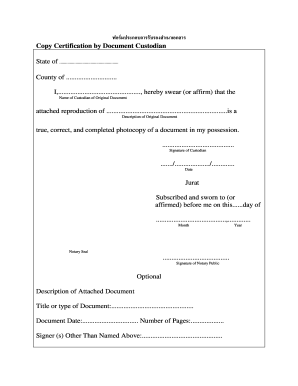
CA Copy Certification by Document Custodian Form Versions
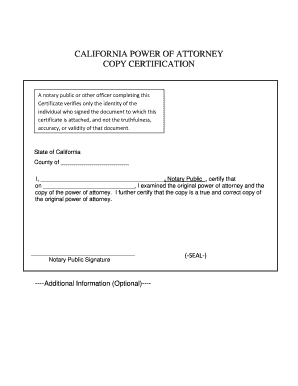
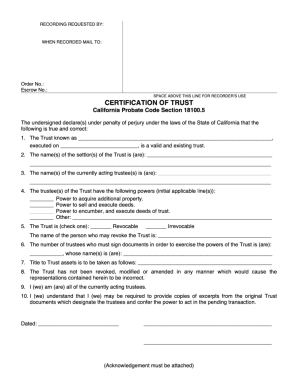
Related Forms




Get the latest insights from our blog


If you believe that this page should be taken down, please follow our DMCA take down process
here
.
This form may include fields for payment information. Data entered in these fields is not covered by PCI DSS compliance.